The AFID terminal,
screen by screen.
Everything below is the actual product. Each airport's finances, read from the source and laid out the same way, so you can move from one airport to five hundred without changing how you read them. The airports and figures shown in these screens are illustrative examples, not published data.
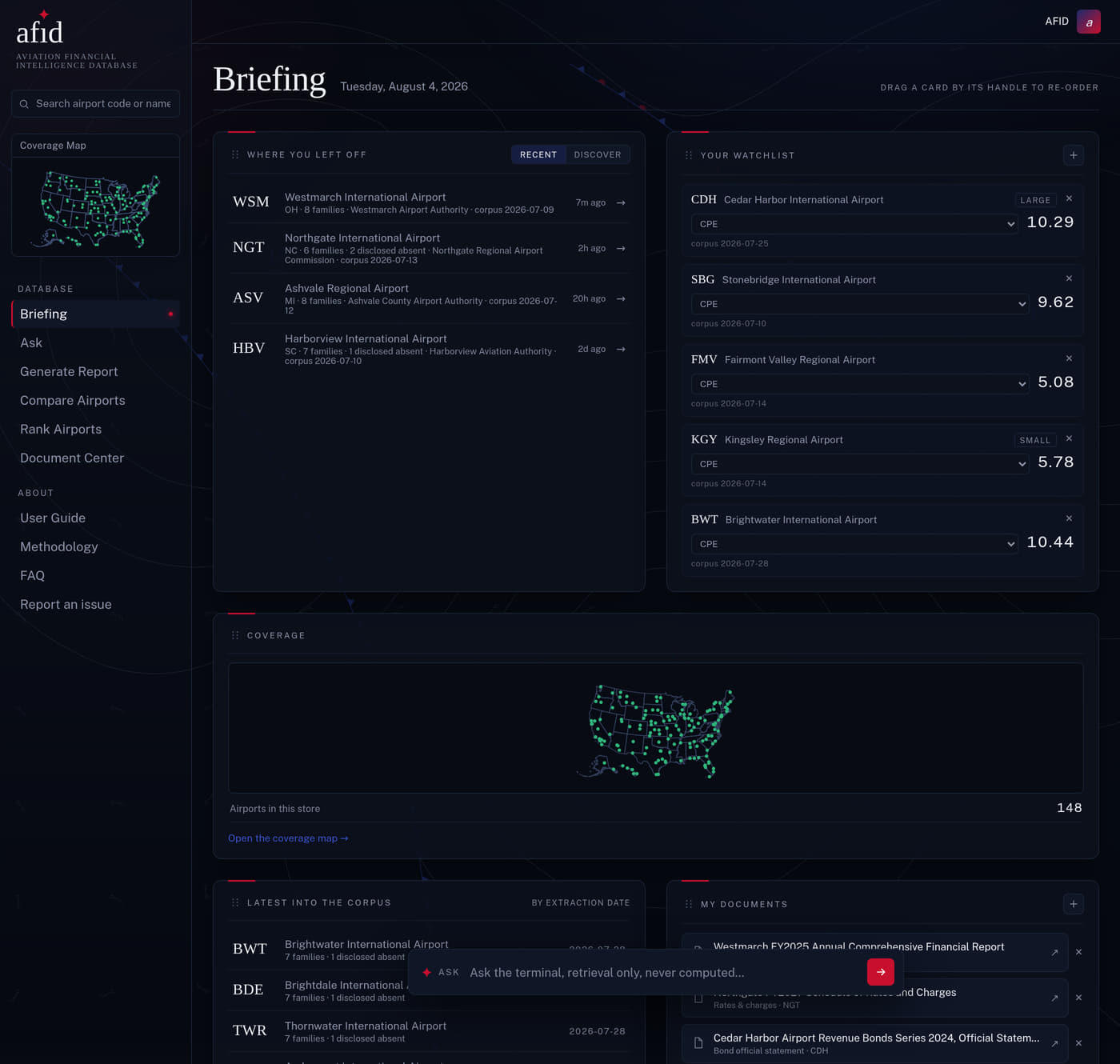
Open where you left off.
The terminal opens on your own desk: the airports you were last reading, the watchlist you built, the documents you saved, and what has most recently come into the corpus. Every card is yours to arrange, and each one picks the figure that matters for that airport rather than forcing one number on all of them.
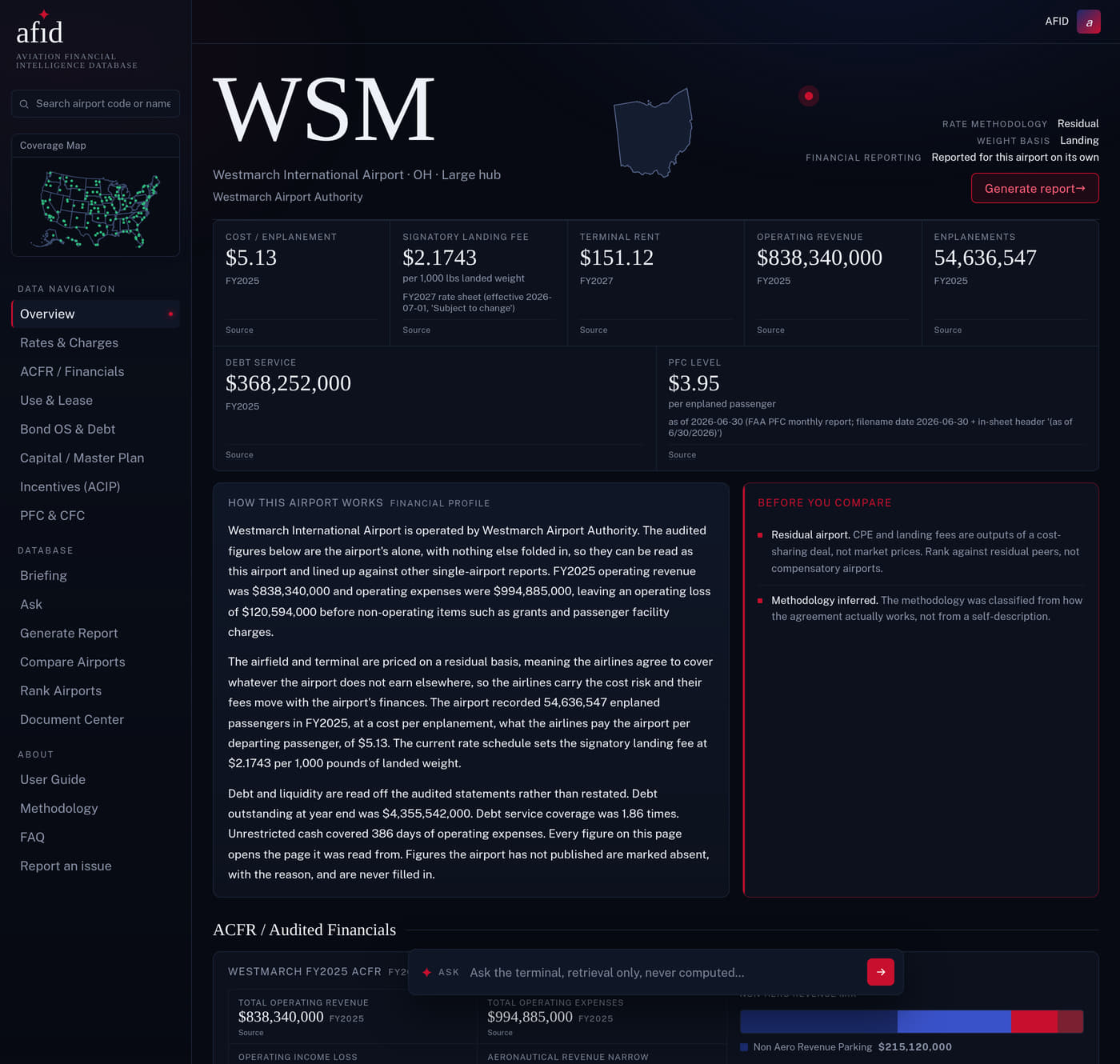
One page per airport.
Rates and charges, audited financials, agreements, and debt, all on a single page. Every figure carries the document and page it was read from. Figures an airport has not published are marked as absent, with the reason, never filled in.
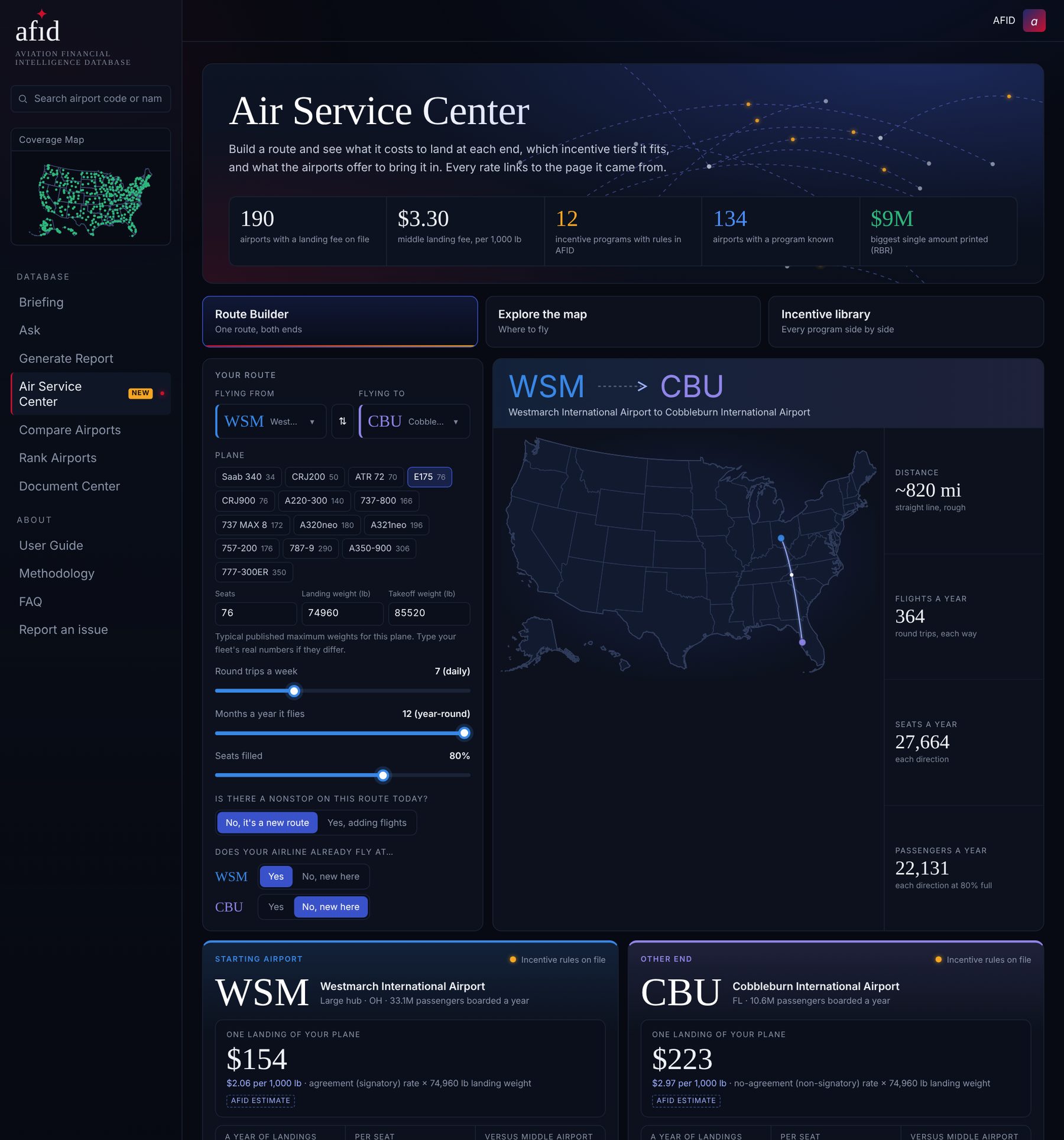
Plan a route. See what it costs and what it pays.
Pick two airports and a plane. AFID works out what it costs to land at each end from each airport's own rate schedule, shows which incentive tiers the route fits, and how much each airport offers to bring it in. Explore every airport on a map, or read every incentive program side by side. Anything AFID works out is labeled as an estimate, and every rate links to the page it came from.
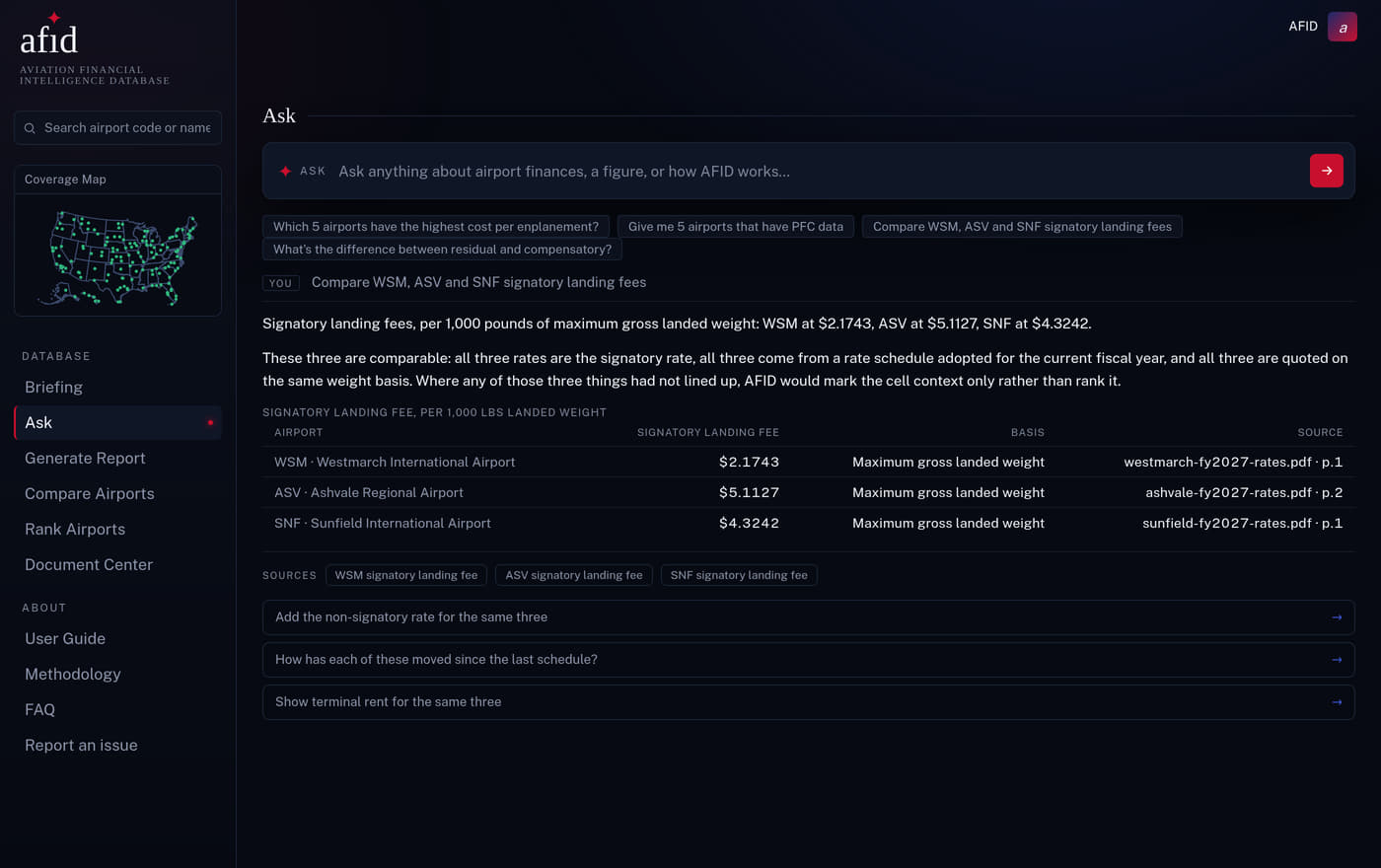
Ask in plain language, get cited numbers.
Ask the terminal a question the way you would ask a colleague and get an answer built only from figures that exist in a document, with the table, the chart and the sources underneath. It will not invent a number to be helpful, and it will tell you when the airports you asked about are not comparable.
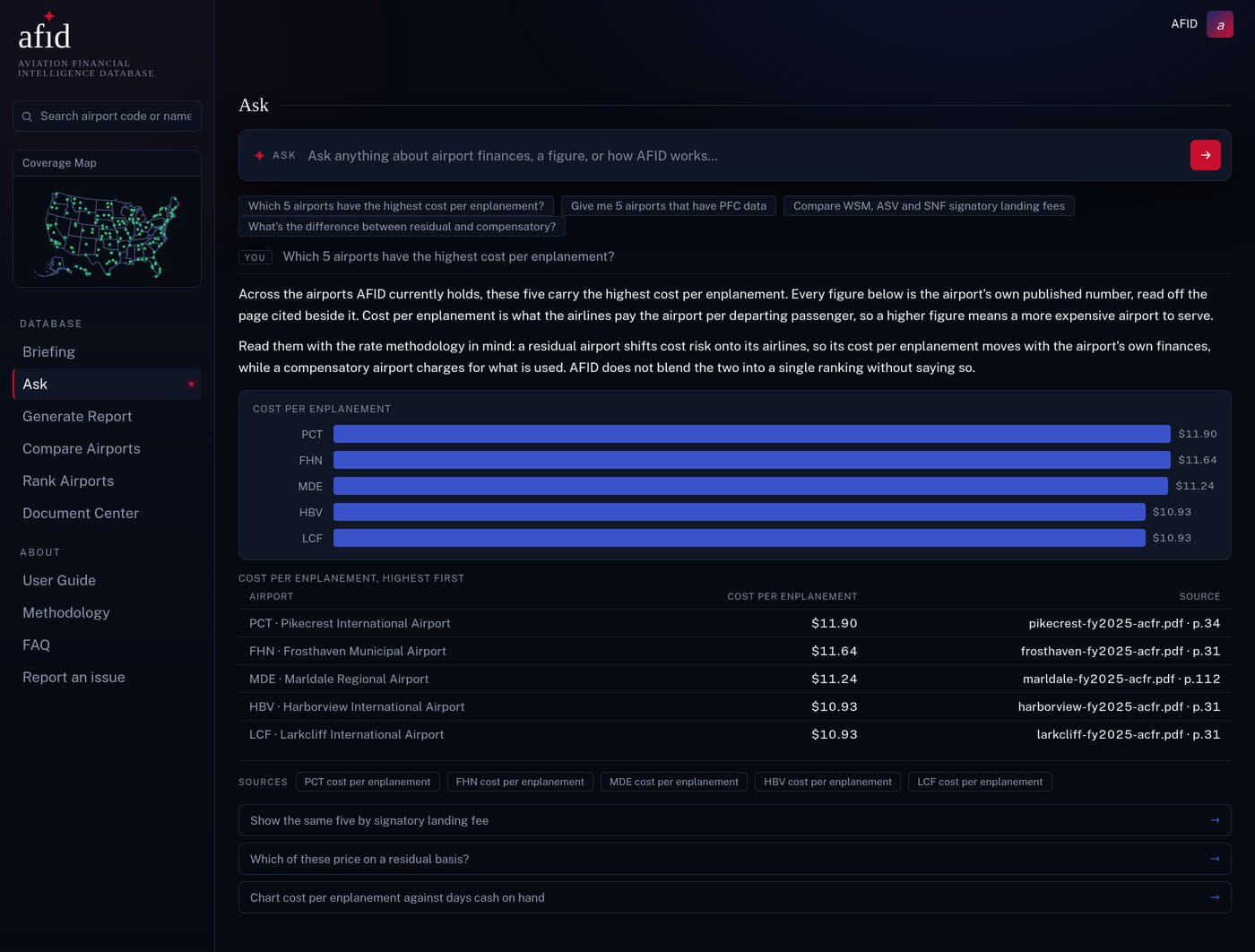
Rank the whole database.
Every airport in one table. Sort by cost per enplanement, landing fee, coverage, days cash, and more. Filter to a single rate methodology so you rank like against like. Nothing here is computed; every value links to the page it came from.
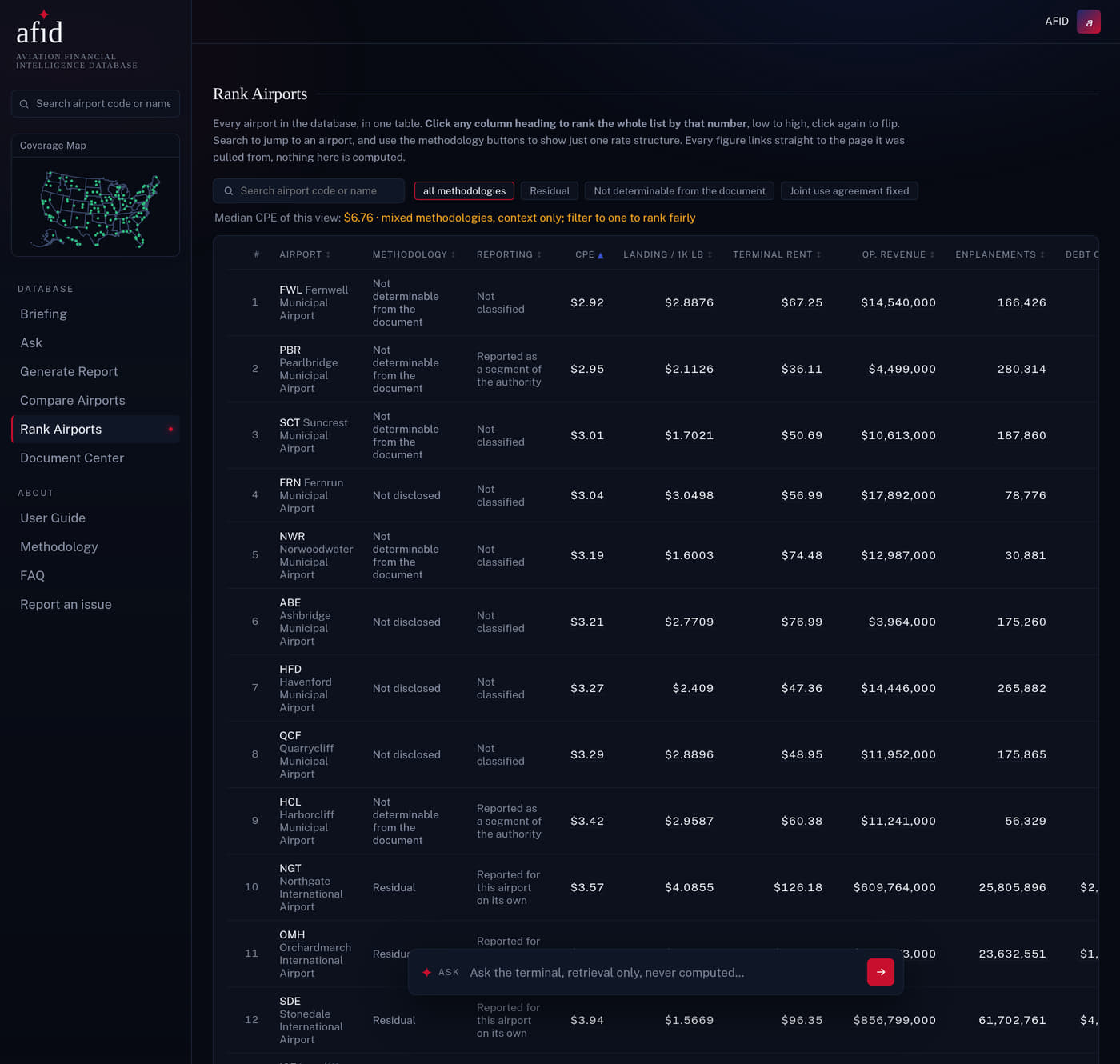
Head to head, honestly.
Put up to five airports side by side. AFID checks that the periods and rate methodologies actually line up first; where they do not, the cell is marked context only instead of pretending it compares. You get a comparison you can put in front of a committee.
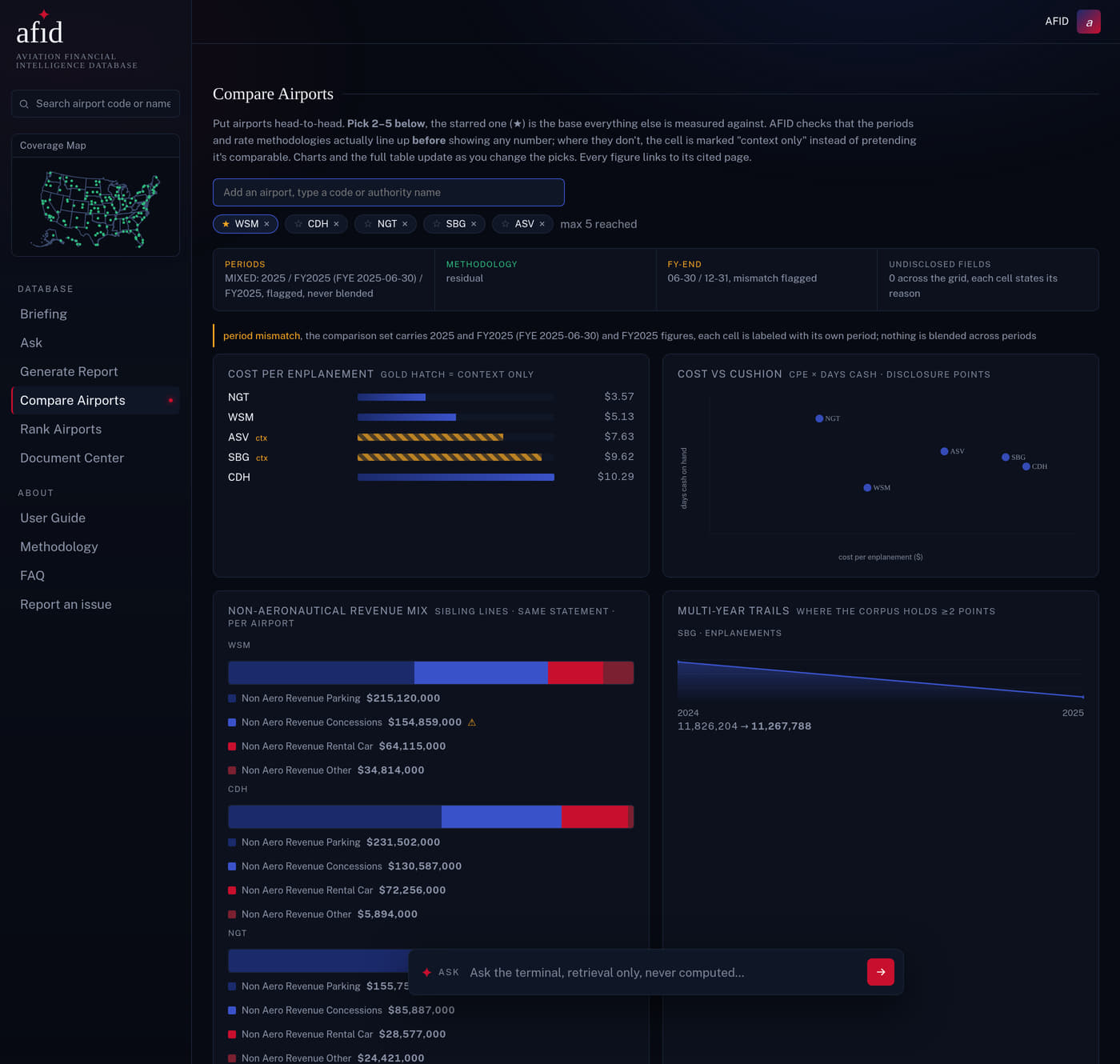
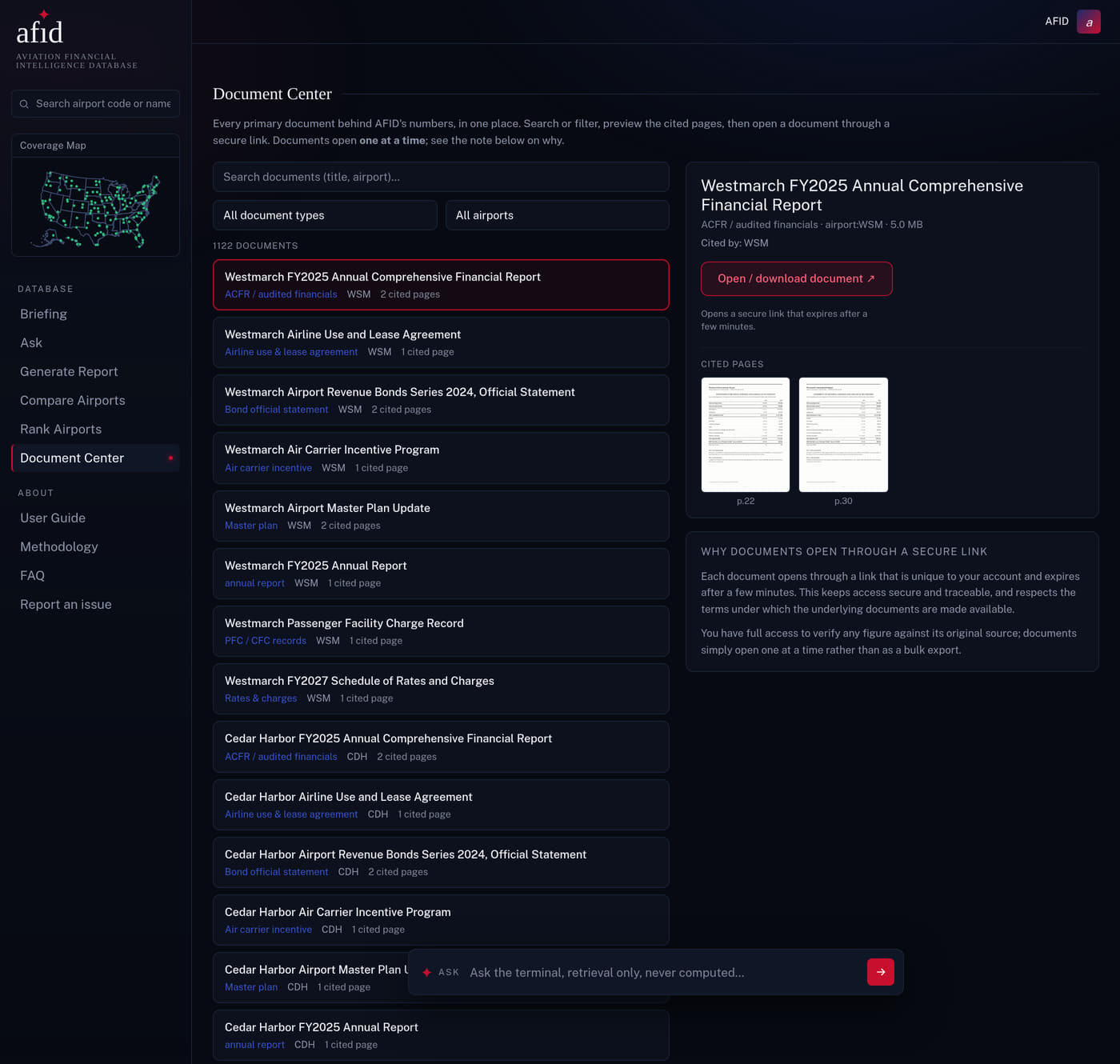
Click any figure, see the page.
This is what page-cited means. Click a figure and the exact source page opens, next to a link to the original document. You do not take our word for a value; you check it yourself in one click.
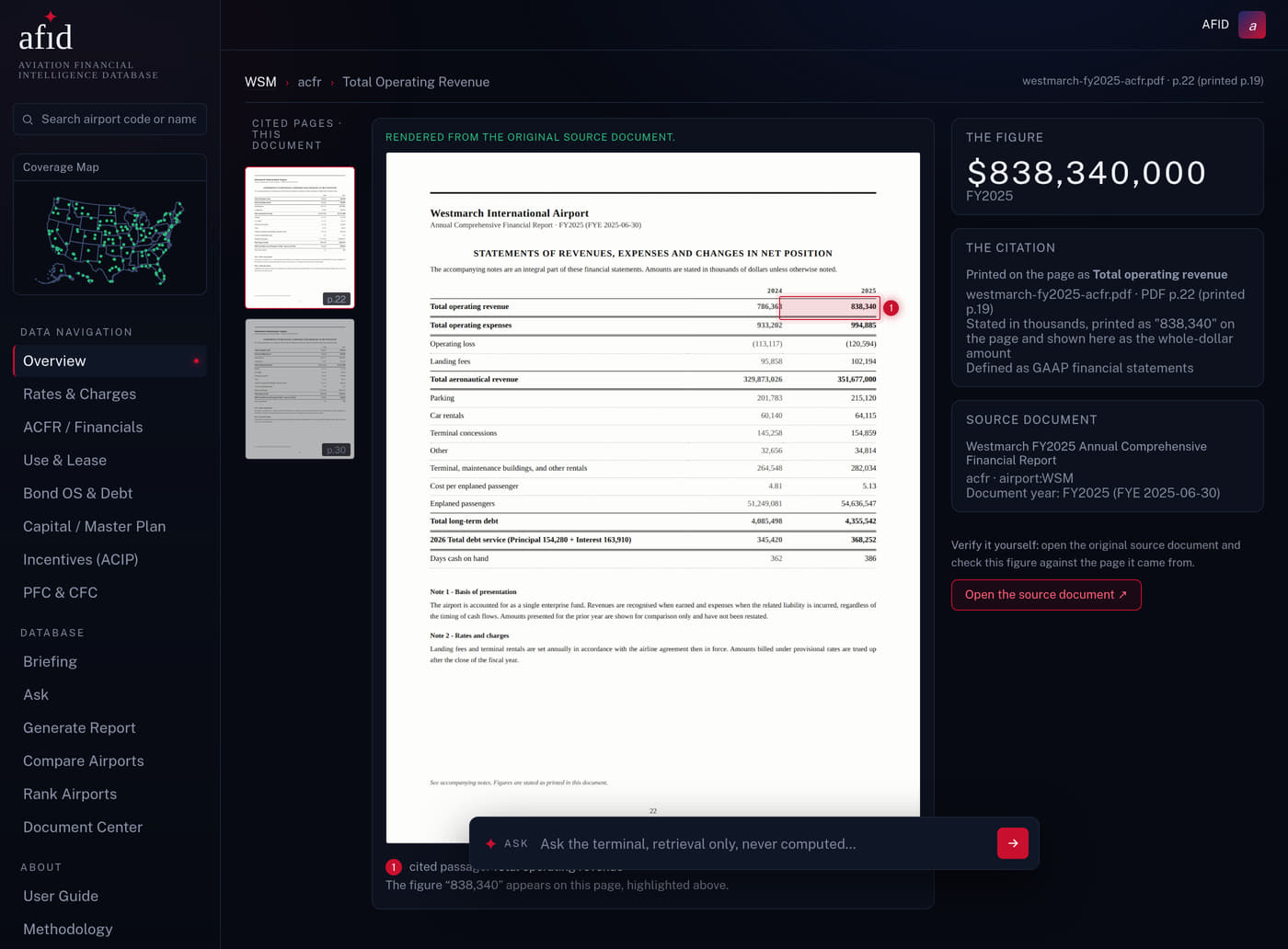
Every answer shows its working.
Ask across airports and the answer arrives with the document and page behind each figure, plus the reason the numbers can sit in the same table at all. Follow-up questions carry the same discipline, so a conversation never drifts away from the sources.
Every primary document, one place.
The audited reports, rate schedules, agreements, and official statements behind the data, searchable and filterable. Open any file through a secure link to verify it at the source, one document at a time.
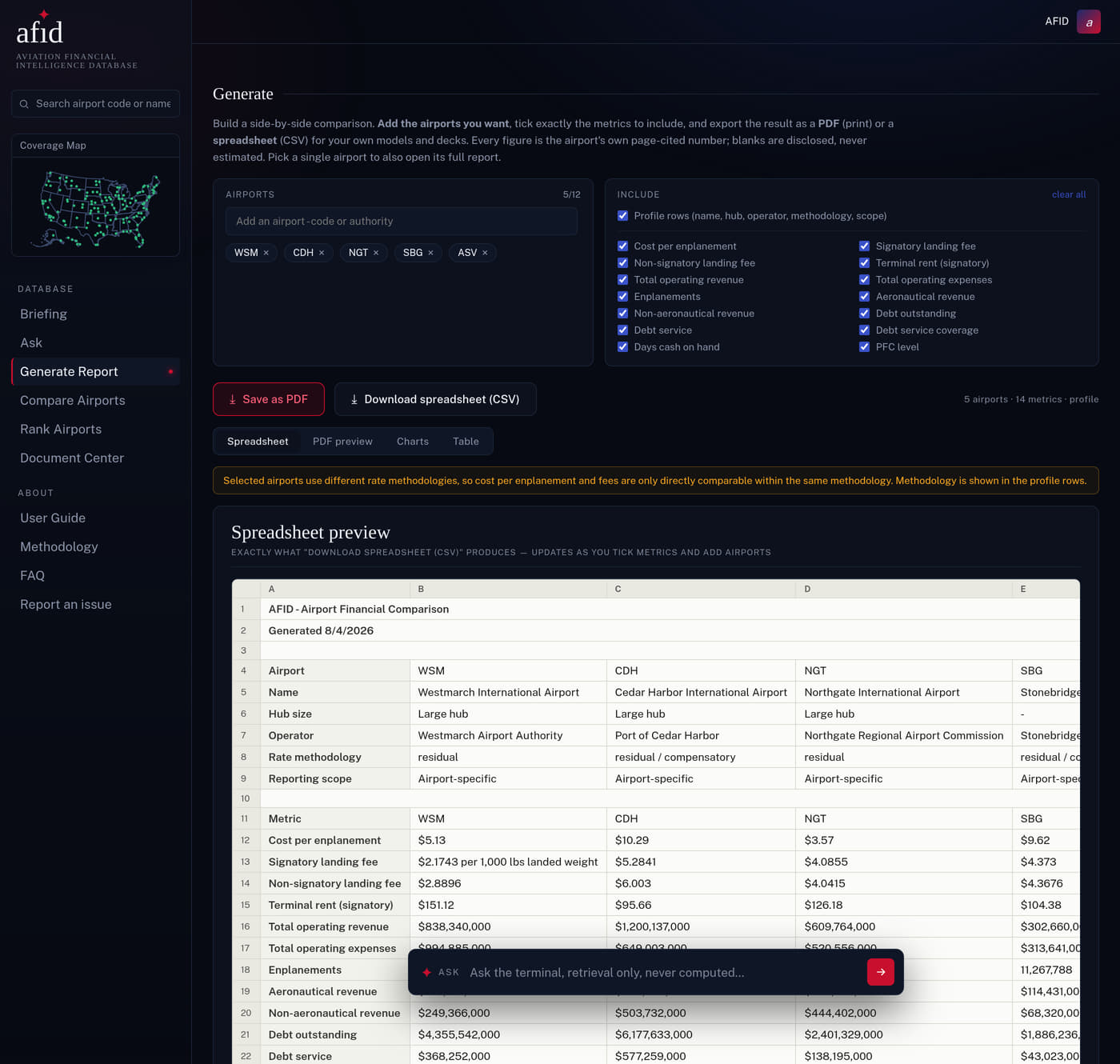
Build the report, keep the citations.
Pick the airports and the metrics and watch the spreadsheet build itself as you go, exactly as it will download. Export it to CSV for your own model, or to PDF for the deck. Every figure that leaves AFID leaves with its source attached, and every blank leaves with its reason.
More of the platform
Every screen below is the real AFID product running on example data for Westmarch (WSM), a made-up airport. Click any screen to see it full size.
Example data · made-up airport